Point of sale for Australian shops

One till for the shop and the food counter.

retalo is point of sale and back office for grocery and convenience stores, takeaway and fast food, and the stores that do both. It runs on a tablet or a Windows till, and it keeps selling when the internet drops.

Then $1 a day with Restopay. Conditions apply.
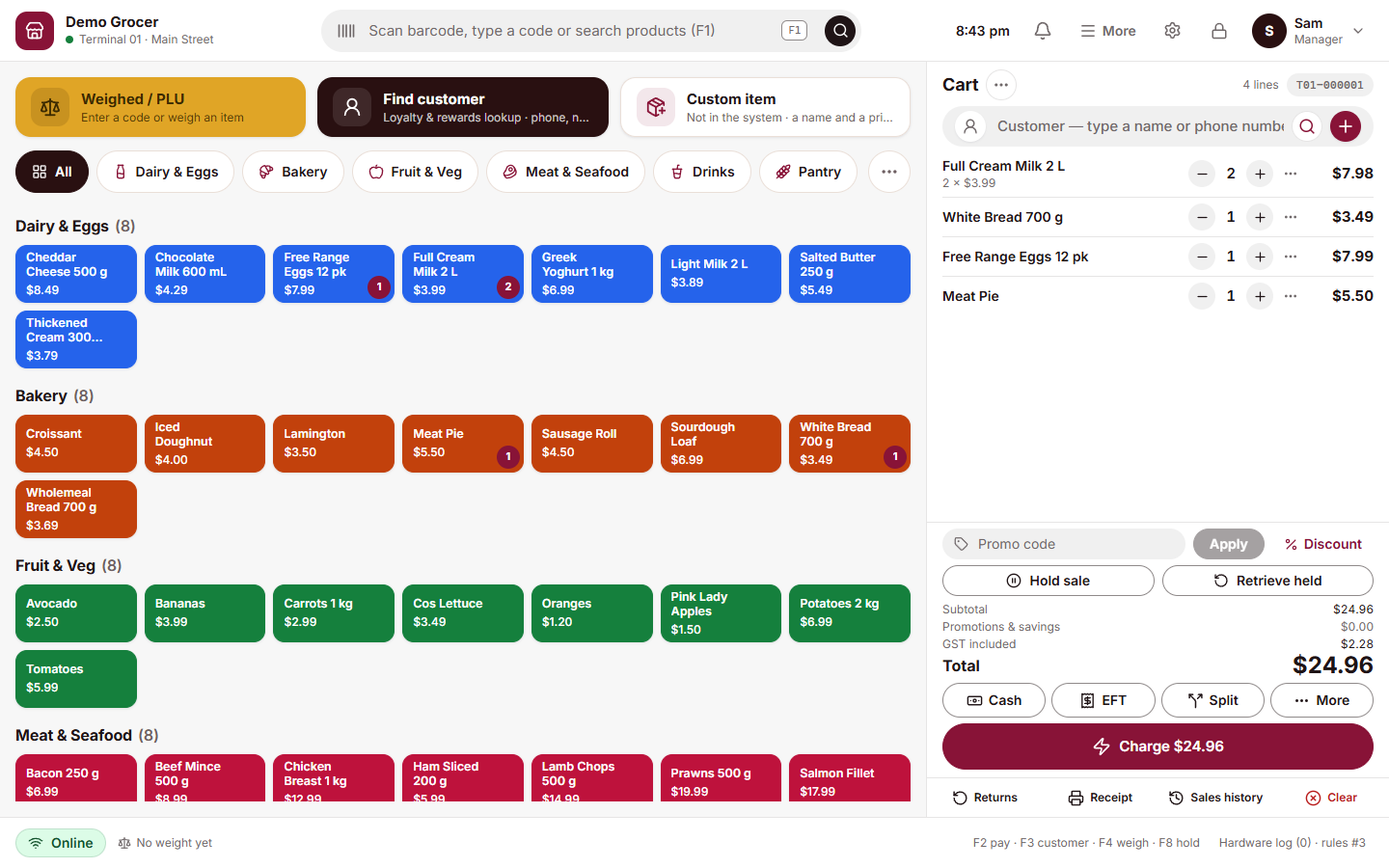
The retalo sell screen on a tablet: product tiles by category on the left, the cart on the right, and the Charge button at the bottom.
$1First 30 days freethen $1 a day with Restopay
  • Tablet first
  • Windows and Android
  • Works offline
  • Card payments built in

Who it's for

Built for counters that sell fast.

Whether you scan a carton of milk, weigh a bag of apples or ring up a burger with the lot, it is the same quick screen.
Grocery and convenience

  • Scanner works without tapping first
  • Weighed products from the scale
  • Stock, suppliers and deliveries

Takeaway and fast food

  • Sizes and extras on every item
  • Open orders in one list
  • Kitchen stations get their own tickets

Restaurants and cafes

  • Orders by table
  • Add to an open order, pay at the end
  • Split the bill

Hair and beauty

  • Online booking
  • Services and products on one receipt
  • Loyalty and gift cards
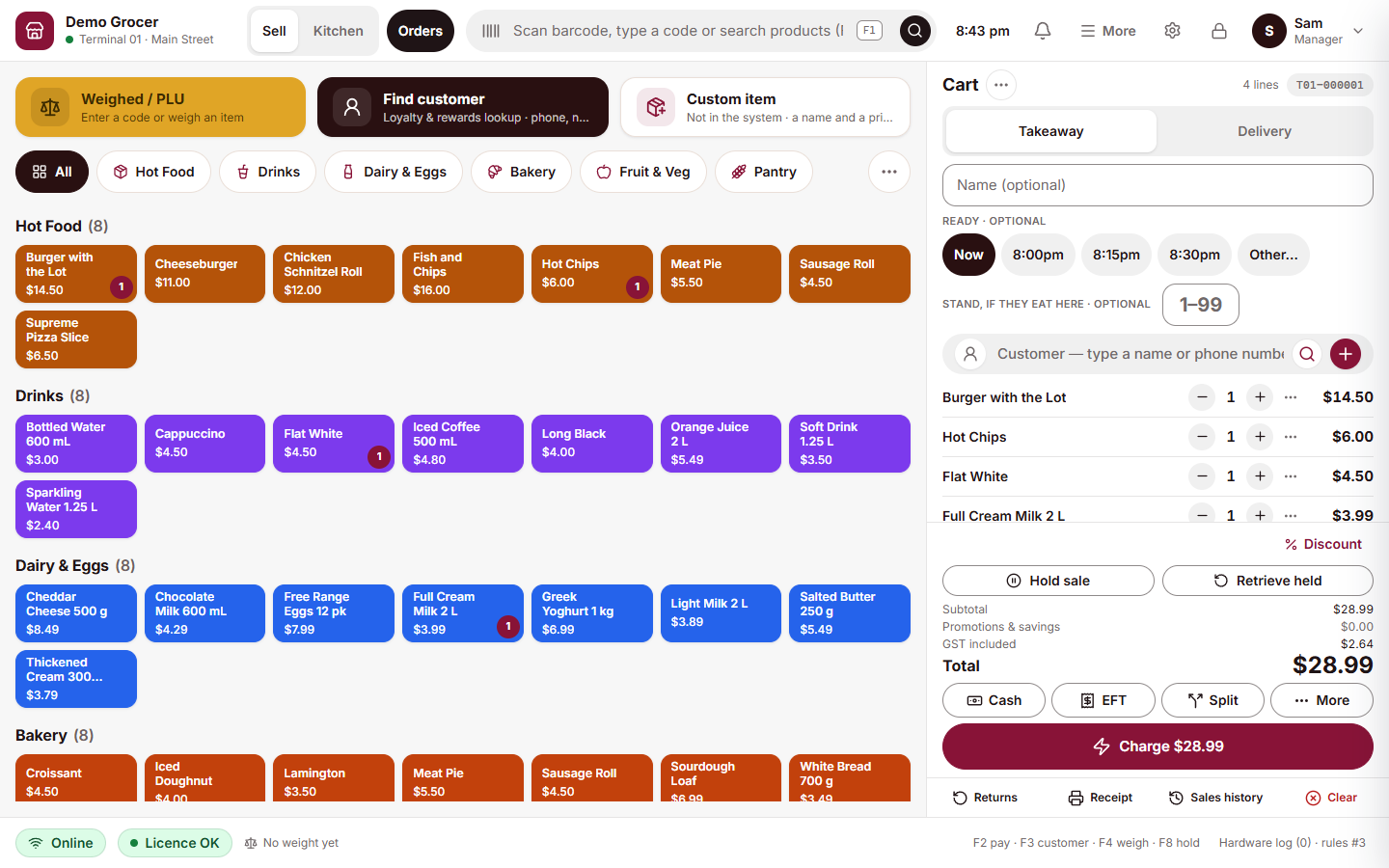
The retalo sell screen in a store that sells both: hot food, drinks and groceries on one screen, and a takeaway order with a burger, chips, a flat white and milk in the cart.

Both on one till

Groceries and a food counter, on the same screen.

Pick a category, tap an item, add a size or an extra. The sale keeps going. When the customer pays, the groceries and the meal are on one receipt.

  • Packaged goods and made-to-order food in one basket
  • Sizes, toppings and extras on food items
  • Scan and weigh on the same sale

At the counter

A second screen for your customer.

The customer display shows each item as you ring it up, what they saved and the total. If they are in the loyalty program, they see their points grow.

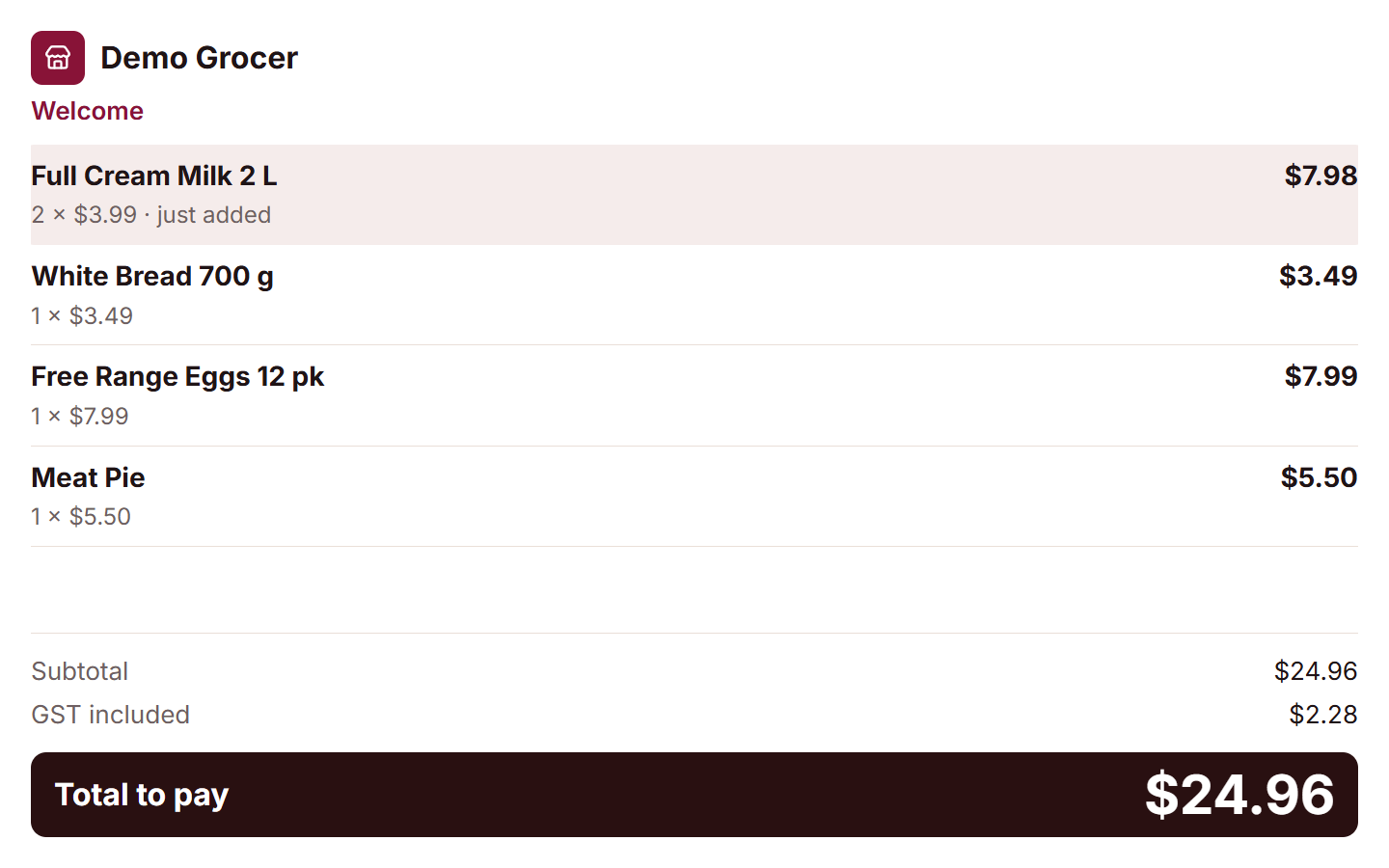
The retalo customer display: each item as it is rung up, the subtotal, the GST and the total to pay in large type.

Promotions

A promotion in three steps.

It is on every till after the next sync, and the till works out the price for you.

  1. 1Pick the products
  2. 2Choose the offer
  3. 3Set the dates

Dine in

Tables, orders and the kitchen, on the same till.

Open an order on a table, add to it through the meal and take payment at the end.

  • Every table at a glance
  • Kitchen stations get their own tickets
  • Split the bill

Online ordering

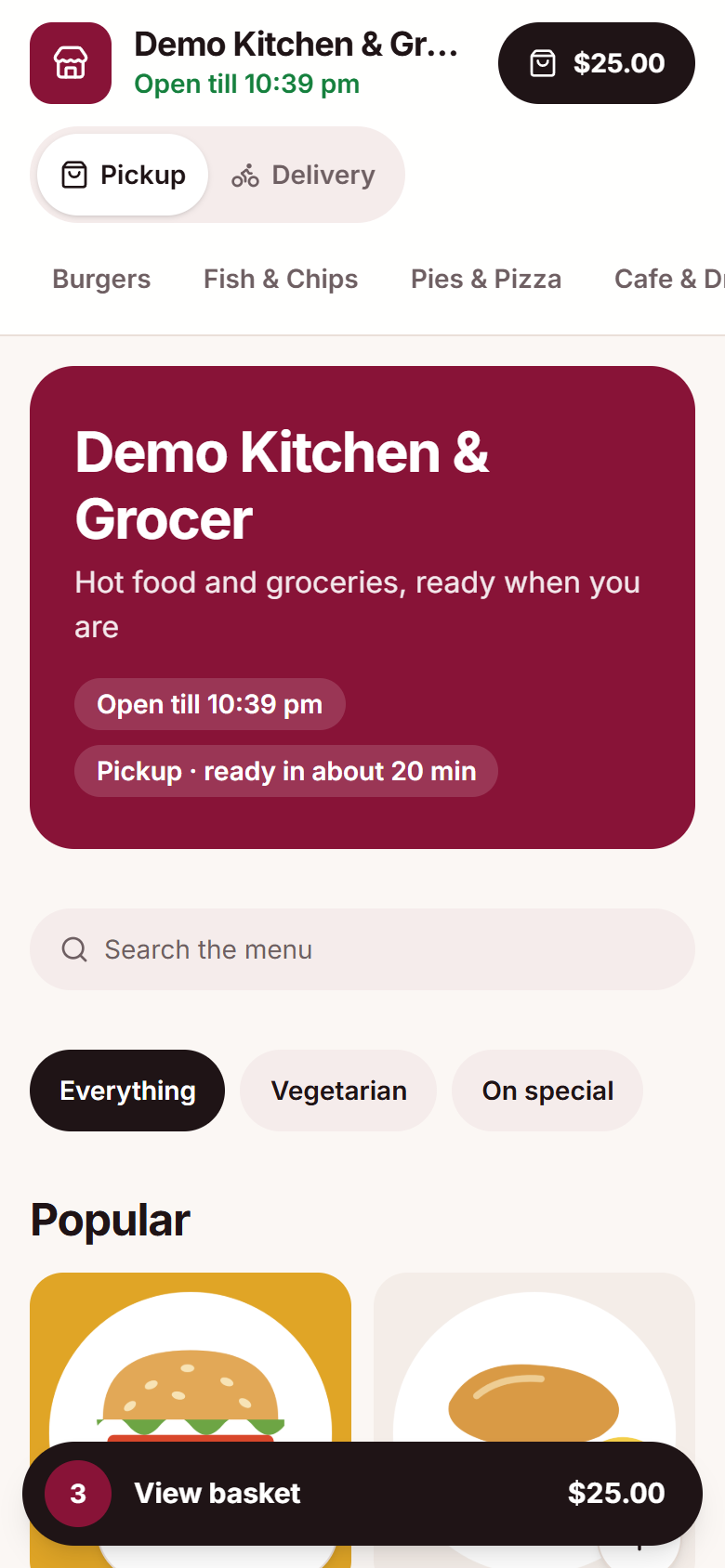
Your own ordering page. Orders land on the till.

Customers order from your page for pickup or delivery. The order arrives on the till and in the kitchen like any other.
  • Your own address, like yourstore.retalo.ai
  • The same products, prices and deals as the till
  • Pickup and delivery
yourstore.retalo.ai
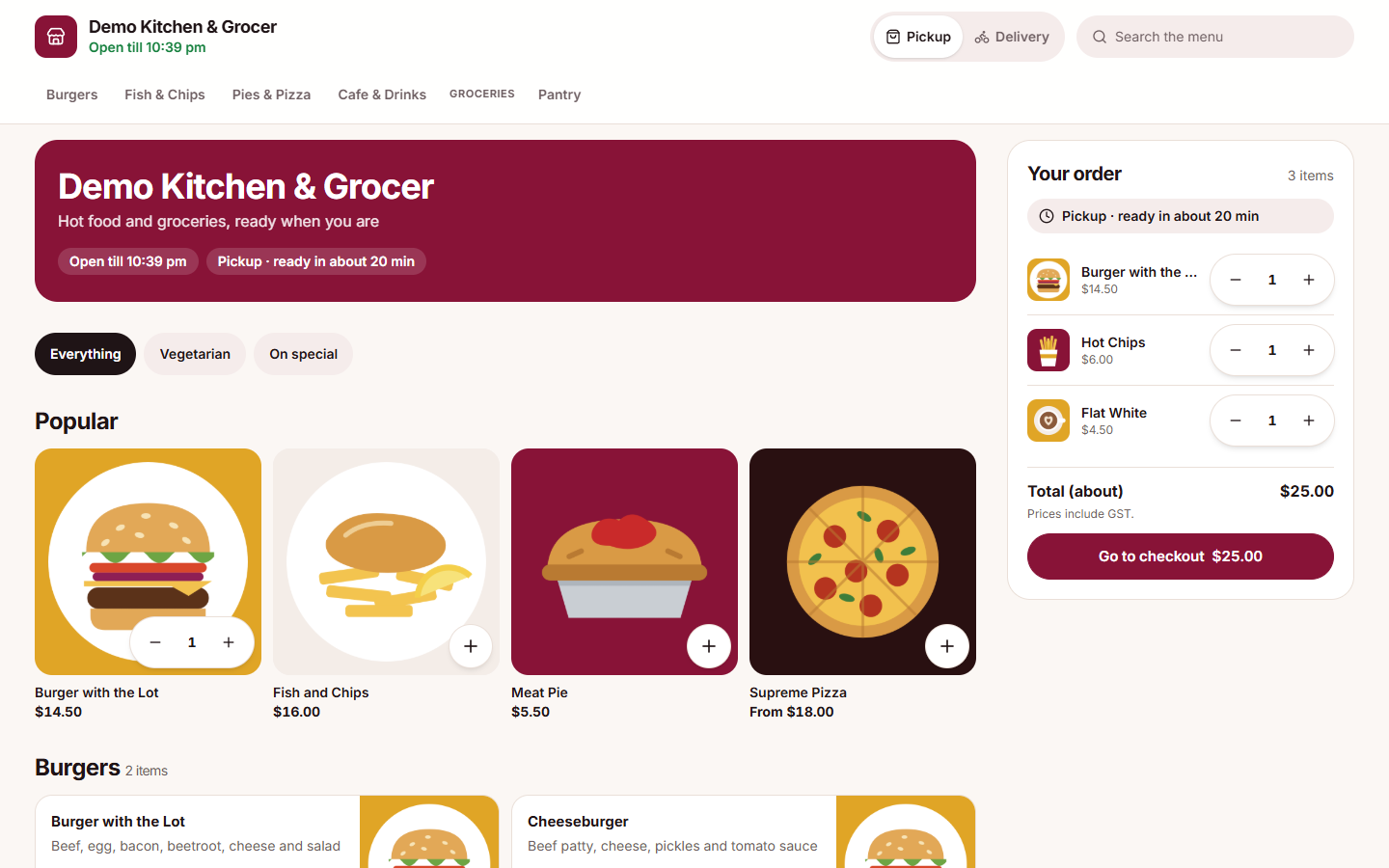
A store's ordering page: delivery or pickup, popular dishes with pictures, and the order with its total.
The same ordering page on a phone.

Works offline

The internet drops. The till keeps selling.

Sales are saved on the till first, then sent to the server. If the internet drops, selling carries on and catches up when it comes back.

Saved on the tillEvery sale, the moment it is paid.
Sent to the serverWhen there is internet.
Catches up by itselfNothing to do when it comes back.

Hardware

Works with the hardware you already use.

Tablet or Windows tillA 10 to 11 inch tablet, or the retalo POS app on Windows 10 and 11.
Barcode scannerUSB or Bluetooth. Scan and the item is in the cart.
Weighing scaleThe weight goes straight to the till.
Receipt printerPrints without holding up the next sale.
Customer displayA second screen facing the customer.
Card terminalPaired with the till for Restopay.

The back office

The rest of the shop, in one place.

Set up and check on your stores from any browser. The jobs people do every day are on the till.

Reports owners read

Sales, profit, payment types and GST, by day, week or month, for each store.

Stock and suppliers

Know what is on the shelf. Receive deliveries, keep supplier details and see what moves.

Cash and shifts

Cash counts, drawer activity and shifts, so the till balance is never a mystery.

Customers and loyalty

Loyalty points, gift cards and store credit, found by name or phone at the till.

Staff and roles

Each person signs in with a PIN and sees only what their role allows.

Your stores, your look

Pick the colours of your till and back office from ready-made themes.

RESTOPAY

Lower payment costs. Keep more of every sale.

Simple, integrated payments for your retalo POS.

1%
Flat payment rateFor eligible stores
Ask about Restopay

The till sends the amount to a paired Restopay terminal. The customer taps, inserts or swipes, and the till shows the result and prints the receipt. Card numbers never reach retalo.
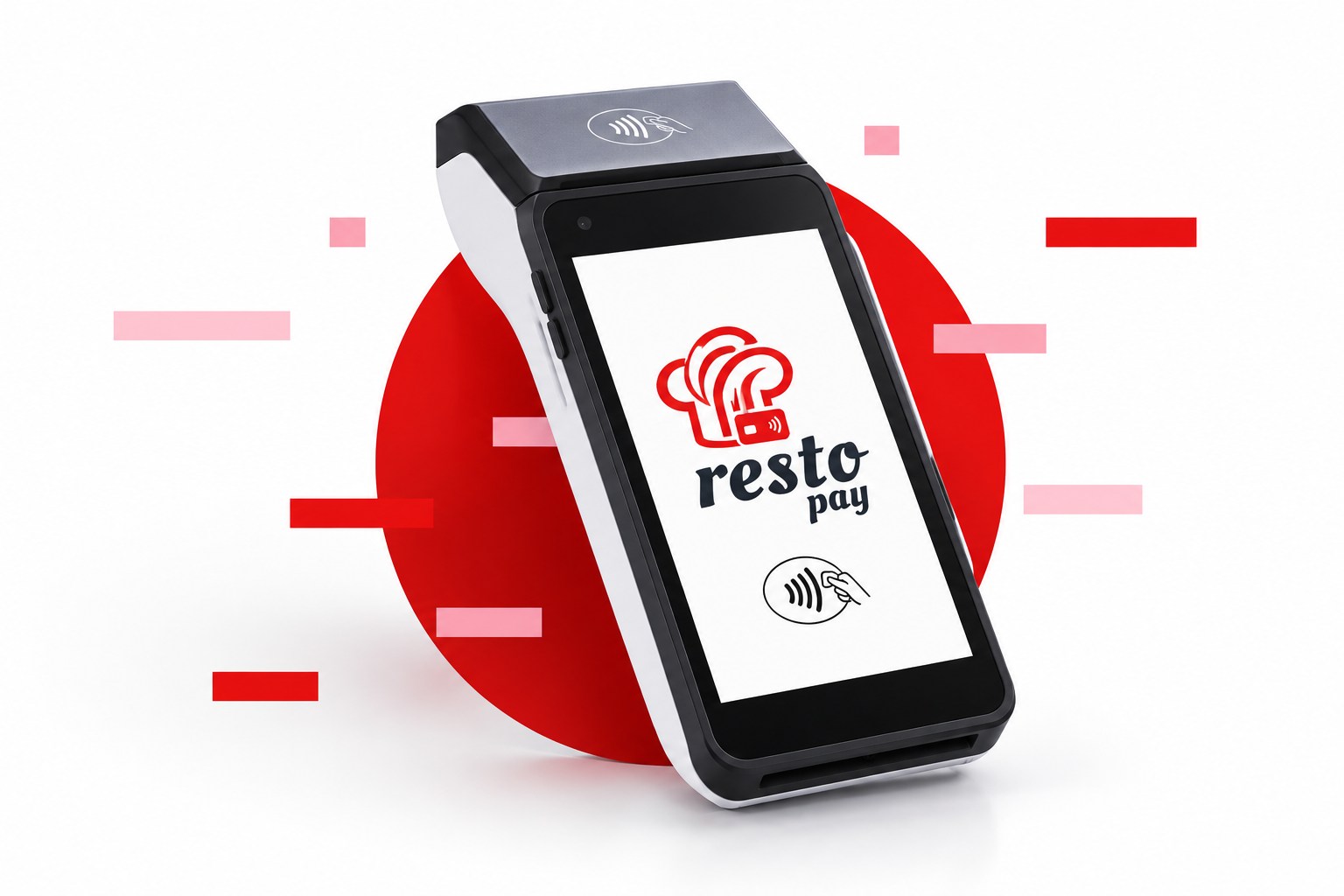
A Restopay card terminal showing the Restopay logo.

Price

$1a day

When you take card payments with Restopay. Conditions apply.

Your first 30 days are free. One plan, with the till and the back office. Try it in your own store before you pay.

First 30 days free

retalo POS

Then $1 a day with Restopay: $30 a month for each store, GST included.

  • The till, on a tablet or a Windows till
  • The back office, in any browser
  • Promotions, loyalty and gift cards
  • The customer display
  • Keeps selling offline
Try it free for 30 days

Conditions apply and can change: ask us what applies to your store. Restopay has its own rate. Hardware is not included.

Questions

Good to know.

How much does retalo cost?

Your first 30 days are free. Then it is $1 a day for each store ($30 a month, GST included) when you take card payments with Restopay. Conditions apply and can change, so ask us what applies to your store.

What do I need to start?

A 10 to 11 inch Android tablet or a Windows 10 or 11 computer. Your barcode scanner, scale, receipt printer and customer display connect to it.

Does it work without the internet?

Yes. Sales are saved on the till first, then sent to the server. If the internet drops, selling carries on and catches up when it comes back.

How do card payments work?

The till sends the amount to a paired Restopay terminal. The customer taps, inserts or swipes, and the till shows the result and prints the receipt. Card numbers never reach retalo.

Details

retalo POS at a glance.

retalo POS, with the retalo back office.

Try it free for 30 days
Company
Restobrain.ai Pty Ltd, Australia
Industries
Grocery and convenience retail · Takeaway and fast food · Restaurants and cafes · Hair and beauty · Hybrid stores that sell both
Runs on
Windows 10 and 11 (retalo POS app) · Android tablets · The back office in any modern browser
Card payments
Restopay on a paired terminal, integrated with mx51
Hardware
USB and Bluetooth barcode scanners · Weighing scales · Receipt printers · Customer display
Price
$1 a day for each store with Restopay ($30 a month, GST included) · First 30 days free · Conditions apply
Contact
0402 626 909 (phone and WhatsApp) · support@retalo.ai

Want to see it in your store?

Tell us what you sell and how many tills you run. We will show you retalo on a tablet, and your first 30 days are free.

Message us on WhatsApp
Chat on WhatsApp